
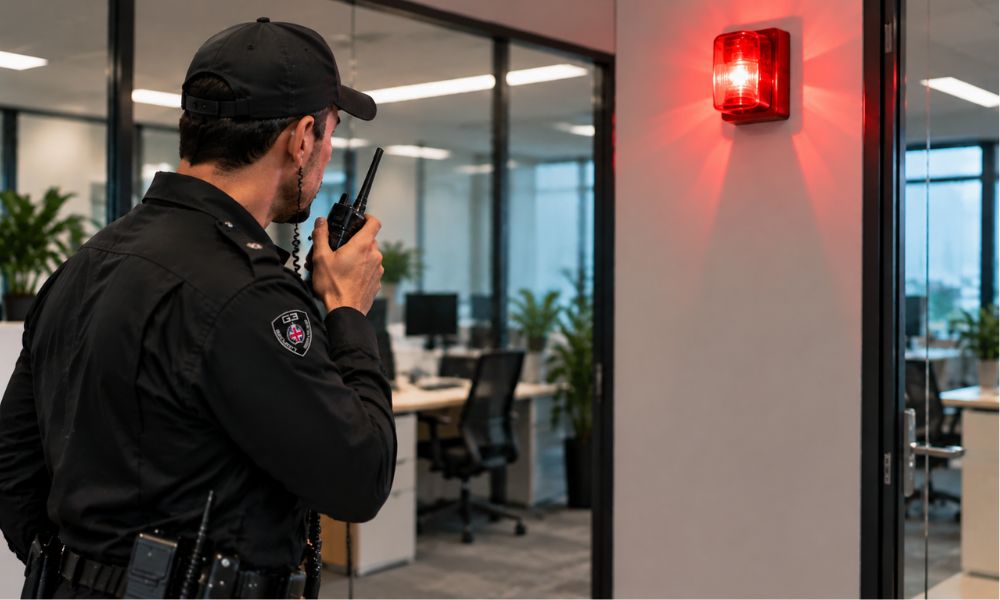
A business alarm is there to alert you when something unusual happens on your premises. But when the alarm keeps going off without an obvious reason, it can become difficult to know whether there is a genuine security issue or a fault with the system.
Repeated alarm activations should not simply be ignored. They may be caused by a faulty sensor, a change inside the building, movement near a detection area or a problem with the alarm equipment itself. A working alarm should form part of a wider security plan, alongside measures such as CCTV, physical security, access control and appropriate security procedures.
If your business alarm keeps going off, the following steps can help you understand what may be causing the problem and when you may need professional support.
Why Does a Business Alarm Keep Going Off?
There are several reasons why a commercial alarm may activate repeatedly. Some are related to the environment around the sensors, while others may indicate a problem with the alarm system.
Identifying whether the same area or sensor is triggering the alarm can be a useful starting point. If the alarm panel or app shows which zone has been activated, check that area carefully and look for anything that may have changed.
Faulty Door or Window Sensors
Door and window contacts are commonly used as part of an intruder alarm system. If a door does not close properly, a contact becomes loose or the sensor is no longer correctly aligned, the system may register an unexpected opening.
This can be particularly noticeable on doors that are frequently used, such as staff entrances, warehouse doors or loading areas. If the alarm repeatedly identifies the same door or window, the sensor should be checked rather than repeatedly resetting the alarm.
Motion Sensors Detecting Movement
Motion detectors can sometimes activate because of movement that is not caused by an intruder. Items placed too close to a sensor, hanging signs, loose materials or changes to the layout of a room can potentially affect detection.
Businesses should also consider whether stock, equipment or furniture has recently been moved. A change in the layout of a warehouse, office or storage area may affect how a sensor operates.
Changes in Temperature or Airflow
Changes in the environment can also affect some types of detection equipment. Strong airflow from heating or cooling systems, for example, may be worth checking if an alarm repeatedly activates in an area close to an HVAC unit.
Doors and windows should also be checked to make sure they are closing properly. If the problem started after building work, heating changes or alterations to the premises, these changes may be relevant to the investigation.
Insects, Rodents and Other Pests
Small pests can sometimes cause problems around security equipment. Spiders, insects and rodents may enter areas where sensors are installed and can interfere with detection.
Check around the affected sensor for signs of pests, cobwebs or other activity. Keeping the area clean and dealing with pest problems can help reduce unnecessary activations.
Moving Stock or Equipment
A business environment is rarely static. Stock may be moved, pallets may be stacked differently and equipment may be repositioned during normal operations.
If an alarm starts activating after changes have been made inside the premises, check whether anything has been placed within the detection area. This can be especially important in warehouses, workshops and larger commercial buildings.
Low Battery or Electrical Problems
A recurring alarm may also indicate a technical problem. Batteries can become weak over time, while damaged wiring, power issues or ageing components may affect how the system operates.
If there is no obvious environmental cause and the alarm continues to activate, repeatedly resetting it may not solve the underlying problem. A qualified alarm engineer should inspect the system to identify the fault.
What Should You Do When Your Business Alarm Goes Off?
When an alarm activates, the first priority should be to follow your business’s existing security and alarm procedures. Do not assume that every activation is a false alarm.
If there is any indication of an actual break-in or immediate danger, avoid putting yourself or your employees at risk. Follow your emergency procedures and contact the appropriate emergency service where necessary.
Check the Alarm Panel or Notification
Once it is safe to do so, check the alarm panel, monitoring system or mobile notification to see whether it provides information about the activation.
Some systems can identify the zone or device that triggered the alarm. Knowing which area has been activated can help narrow down the possible cause.
Check the Area Safely
If your procedures help staff or an authorised key holder to check the premises, inspect the affected area without taking unnecessary risks.
Look for obvious signs such as an open door, damaged window, moved equipment, changes to the room layout or anything else that appears unusual. Do not enter an area if you believe an intruder may still be present.
Look for Signs of a Genuine Security Incident
Repeated alarms should not automatically be treated as technical faults. Check whether there are other signs that suggest someone may have entered the premises.
These could include damaged doors, broken windows, disturbed stock or unusual activity shown on CCTV. CCTV can also be used alongside alarm systems to help determine whether an activation is genuine or false.
Record Repeated Activations
If the alarm continues to activate, keep a record of when it happens and which zone is affected. This information can help an alarm engineer identify a pattern. For example, if the same sensor activates repeatedly at a similar time each day, there may be an environmental or operational reason behind the problem.
When Should You Get Your Business Alarm Checked?
You should consider arranging a professional inspection if the alarm keeps activating after obvious causes have been ruled out.
This is particularly important when the same sensor repeatedly triggers the alarm, the system displays tamper or fault warnings, components appear damaged, or the alarm has become unreliable after building work or changes to the premises.
Regular maintenance is also important. Security technology should not be viewed in isolation, and organisations should review both the equipment and the procedures around it. ProtectUK recommends maintenance arrangements for security systems to help keep them working as intended and reduce false alarms.
How CCTV Can Help With Repeated Alarm Activations
CCTV can provide useful information when an alarm is triggered. Depending on how the system is set up, footage may help show whether there was movement in the area, whether someone entered the premises or whether the activation happened without an obvious security event.
CCTV should not be treated as a replacement for other security measures. ProtectUK recommends using CCTV alongside other measures as part of a coordinated security approach.
For businesses dealing with repeated alarm activations, reviewing the relationship between alarms, CCTV, access control and staff procedures can help identify weaknesses that may otherwise be missed.
What If Your Alarm Keeps Going Off at Night?
Repeated alarms outside business hours can be particularly disruptive. However, the response should still follow the procedures agreed for the premises.
Businesses should know who is responsible for responding to an alarm, how they should be contacted and what action should be taken if an activation occurs. ProtectUK recommends having a clear process for alarm activation, including arrangements for incidents that happen outside normal working hours.
If an alarm repeatedly activates during the night, it is worth investigating the underlying cause rather than simply silencing it each time. A recurring fault could continue to create unnecessary disruption and may mean that a genuine activation receives less attention.
How Security Guards Can Support Alarm Response
Technology can alert a business to a potential security problem, but someone may still need to respond to that alert. This can be difficult for businesses where owners, managers or key holders are not always available to attend the premises.
Security services can provide a physical presence at commercial premises and help monitor activity, check access points and respond to security concerns according to agreed procedures.
For businesses with larger sites, multiple entrances or out-of-hours security requirements, manned guarding and mobile patrols can also form part of a wider security plan.
Conclusion
A business alarm that keeps going off should not simply be ignored. Repeated activations can be caused by something as simple as a change in the environment or building layout, but they can also indicate a fault with the alarm system or another security issue.
Start by identifying the affected zone, checking the area safely and recording any repeated activations. If the cause cannot be identified, arrange a professional inspection rather than repeatedly resetting the system.
A well-planned security approach can combine alarms, CCTV, access control, trained staff and physical security measures to help businesses respond to potential problems more effectively.